Thursday, 21 March 2013
Wednesday, 13 March 2013
Tuesday, 12 March 2013
Tuesday, 5 March 2013
Xeno15th!
Wow, I am so late with this.
Me and David did a couple bits of artwork for Xeno15th - it's a PDF full of fan works for the 15th anniversary celebration of Xenogears. You know, that brilliant game that was basically eclipsed by Final Fantasy VII despite being a million times more interesting? That's the one. There are some really amazing artists featured so I feel quite inadequate but I had fun taking part!
If you're interested, you can download it here: http://lunalapine.net/xenogearsdoujinshi/
We are on pages 3 (right) and 23 (left). :)
Labels:
Fanart,
Videogames
Saturday, 2 March 2013
Friday, 1 March 2013
Cats
I designed some stickers of internet cats to sell at conventions this year!
The cats are: Ceiling Cat, Tardar Sauce (Grumpy Cat), Maru, Longcat, Starecat and that cute fat cat who wants a cheeseburger.
Wednesday, 6 February 2013
Motoko Kusanagi
We're re-watching Ghost in the Shell: Stand Alone Complex at the moment (well, I am, David hasn't seen it before). I love this series so much.
Labels:
Anime/Manga,
Fanart
Wednesday, 30 January 2013
Tuesday, 29 January 2013
Sunday, 20 January 2013
Coloured lineart tutorial for James!
First you need to get rid of all the white from the lineart layer. There are multiple ways of doing this and people have already written much better tutorials than me on how to do it so I'll just link to them.
I use this method: http://www.howtogeek.com/113365/how-to-remove-the-background-from-a-drawing-or-lineart/
This works too and is even simpler (steps 1-5): http://cgcookie.com/concept/2012/03/16/tip-turning-scanned-pencil-sketches-into-digital-paintings/
Done? OK! You should have a layer something like this:
(Sorry, this is one I drew digitally because I have no inked-in-real-life lineart on my computer to work with. It's the same principle though, you'll have black/greyscale lineart on a transparent layer with no white on it.)
Next, create a new layer (Layer > New) above the lineart.
Then hover "between" the two layers (I arrowed it in the screenshot so you can see what I mean) in the layer palette and hold down the alt key. The icon changes to two little circles with a line between. Click!
You should now see the upper layer has jumped inside the lower one, as below:
Now with the upper layer selected, get your paintbrush and start colouring over the lines you want coloured. The upper layer is automatically clipped to the one beneath, like this:
You can be as messy as you want when colouring this in! You only need to be a little careful on the areas where the two colours meet. You can also fill it with the paint bucket, drop a whole other texture or something in there or fill it with a gradient - try it out! And if you want to make a new layer for each colour, you can do that too, just make a new one and hold alt again over the top layer, or drag it in between the two depending on what order you want them in.
Then you can just make new your new layers underneath the lineart layer and colour them as you normally would!
Wednesday, 26 December 2012
Sunday, 23 December 2012
Wednesday, 19 December 2012
Kelpie and Mermaid
A mermaid and her Kelpie friend!
My Kelpie doesn't really match up with the traditional description but I thought it would be nice to incorporate more 'fishy' elements into the design. Also, this one is a nice one that likes to help people in trouble rather than, you know, drowning them. :|
Labels:
Illustration
Sunday, 16 December 2012
Thursday, 13 December 2012
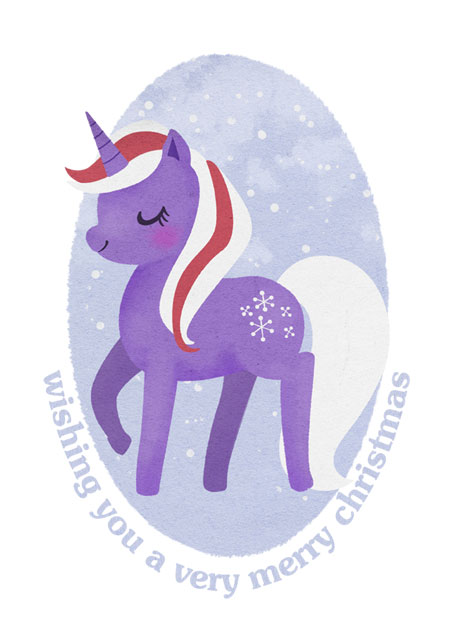
Pony Christmas!
This year's christmas card for my collector friends. I think they've all received them by now so I figure it's okay to post here!
Tuesday, 4 December 2012
SICK JUICE
Me and a friend were trying to imagine the worst possible flavours for juice and all the normal-ish ones we could come up with are already things that people actually have because being healthy is more important to them than not drinking kale juice.
So instead, here is a carton of sick juice. You can decide for yourself whether it would contain real sick or just a strangely coloured fruit juice.
Wednesday, 28 November 2012
Tuesday, 27 November 2012
Sunday, 25 November 2012
Subscribe to:
Posts (Atom)